
Professional Image to WebP Converter
Convert your images to high-performance WebP for faster websites.
Drop files to convert to WebP
Optimized for Core Web Vitals and Page Speed
Is your website loading too slowly? In the era of Core Web Vitals, every millisecond counts. Heavy JPG and PNG files are the primary cause of high bounce rates. Our Image to WebP Converter is designed to transform your media library into high-performance, next-gen assets without sacrificing a single pixel of clarity.
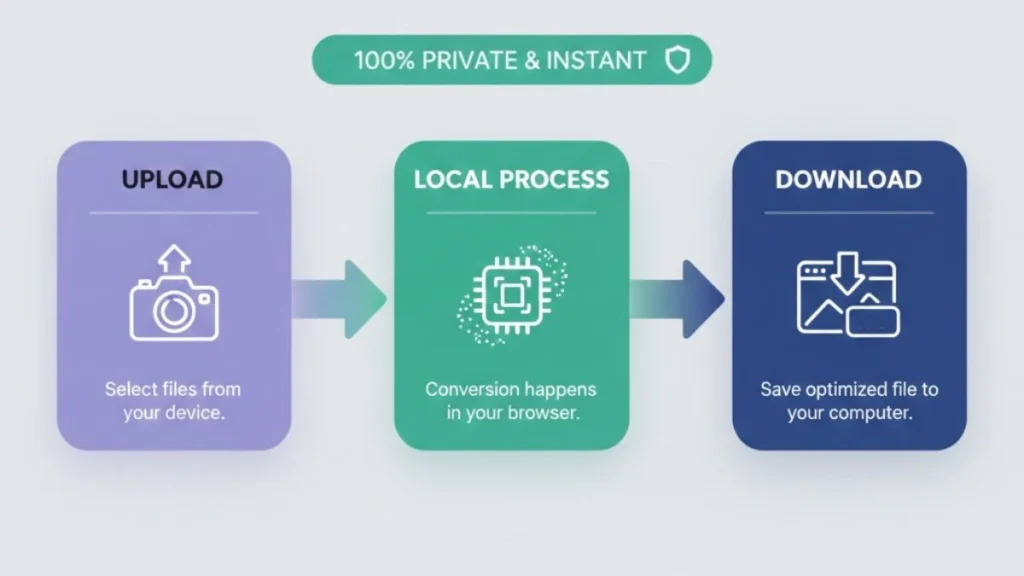
At ImageXYZ, we specialize in Lossless-Compression technology. Our converter runs entirely on your hardware (Client-Side Processing), meaning your data is never uploaded to the cloud. It’s the fastest, most secure way to optimize your digital footprint.
Looking for the fastest way to optimize your website media? Our Universal Image to WebP tool is engineered to convert all image formats to WebP with a single click. Whether you need to process JPG to WebP for better compression, transform PNG to WebP while maintaining transparency, or move high-resolution HEIC to WebP from your iPhone, our browser-based engine handles it instantly.
We also support legacy formats like BMP to WebP and GIF to WebP, ensuring your site meets 2026 Core Web Vitals standards. By utilizing local, user-end processing, imagexyz.net guarantees 100% privacy and lightning-fast speeds, making it the ultimate high-fidelity converter for developers and creators alike.
Why WebP is the Industry Standard in 2026
- Superior Compression: WebP files are significantly smaller than JPGs, often reaching 25-35% more compression at the same quality level.
- Transparency Support: Replace heavy PNGs with WebP while maintaining full alpha-channel transparency for your logos and UI elements.
- SEO Boost: Google favors websites that load fast. Using WebP is one of the easiest ways to improve your PageSpeed Insights score.
- Universal Browser Support: From Chrome and Safari to mobile-first browsers, WebP is now natively supported across the entire web ecosystem.
How to Convert to WebP in Seconds
- Upload: Drag and drop your JPG, PNG, or HEIC iPhone photos into the green conversion zone.
- Process: Our local script instantly rewrites the image data into the WebP format.
- Optimize: Check the live preview to see the quality, then hit “Download WebP” to save your optimized file.
WebP vs. AVIF
While AVIF is growing in popularity, WebP remains the “Sweet Spot” for 2026 web development. It offers the perfect balance between encoding speed and file size reduction. For bloggers and Shopify store owners, WebP is the safest bet for maximum compatibility while ensuring a lightning-fast user experience.
Pro Tip: When converting images for the web, aim for a quality setting of 80-85%. This provides the best bytes-to-beauty ratio, keeping your file sizes under 100KB for most standard blog images.
Frequently Asked Questions (FAQ)
Does converting to WebP reduce image quality?
Our tool uses a refined lossy-to-lossless algorithm. To the human eye, the difference is virtually invisible, but your server will feel the difference in reduced bandwidth.
Can I convert PNG with transparency to WebP?
Yes! Our converter preserves the transparent background of your PNG files, making them much lighter for web headers and icons.
Is my data safe on ImageXYZ?
Yes. We use Zero-Server architecture. Your images are processed in your browser’s memory and are never stored or seen by us.
