Start WebP Conversion
drop any image format here to convert to WebP
The Complete Guide to Convert Image to WebP Online
In the fiercely competitive arena of search engine optimization (SEO) and web performance, the speed at which your website loads is often the deciding factor between a conversion and a bounce. When auditing a sluggish website using Google PageSpeed Insights, webmasters are universally confronted with the exact same glaring red warning: "Serve images in next-gen formats." This warning specifically mandates that you convert image to WebP. The era of building websites solely with archaic JPEGs and bloated PNGs is officially over. WebP is the new, undisputed gold standard of digital imagery.
At ImageXyz, we have engineered an ultra-fast, entirely browser-based solution designed to help you modernize your visual assets instantly. Our powerful WebP converter allows you to drag and drop your legacy files—be it a massive PNG logo or a heavy JPEG hero banner—and rapidly transform them into highly optimized WebP format. By utilizing our proprietary 100% client-side rendering technology, this conversion happens securely within your own device, ensuring absolute data privacy while delivering the drastic file size reductions necessary to dominate Core Web Vitals.
What Exactly is the WebP Format?
To appreciate why you need to change image to WebP, you have to understand the format's origin. WebP is a modern image format developed directly by Google. It was explicitly created to replace the aging JPEG (created in 1992) and PNG (created in 1996) formats, which were simply not designed for the modern, mobile-first internet.
WebP is essentially a technological hybrid. It provides vastly superior lossy compression (like a JPEG) and equally impressive lossless compression (like a PNG). Furthermore, unlike JPEG, the WebP format natively supports alpha channels (transparency) across both its lossy and lossless modes. In simple terms, it takes the best features of both older formats, combines them, and wraps them in a highly advanced algorithmic package that results in significantly smaller file sizes.
The SEO Impact of WebP Conversion
The primary motivation to convert to WebP format is technical SEO. Google's search algorithm heavily prioritizes "Core Web Vitals"—a set of metrics measuring how fast a page loads, becomes interactive, and stabilizes visually. The largest contributor to a failing Core Web Vitals score is typically the Largest Contentful Paint (LCP), which is almost always an unoptimized, heavy image.
According to Google's own internal testing, WebP lossless images are 26% smaller than comparable PNGs. WebP lossy images are 25% to 34% smaller than comparable JPEGs at the exact same structural quality index. By using our tool to standardize your assets into WebP, you instantly strip away massive amounts of kilobyte weight. Your pages load faster, your bandwidth costs decrease, and Google rewards your technical proficiency with higher search engine rankings.
Handling Transparency with Zero Compromise
Historically, graphic designers faced a frustrating dilemma. If they needed a transparent logo for a website header, they were forced to use a heavy PNG file, sacrificing loading speed for visual necessity. JPEG was not an option because it does not support transparency.
When you use ImageXyz as your dedicated PNG to WebP converter, this dilemma vanishes. WebP natively supports 8-bit alpha channels. This means you can take a massive, heavy PNG logo with a transparent background, upload it to our tool, and convert it to WebP. The resulting file will retain its perfect, crisp transparent background, but the file size will be phenomenally smaller. It is the ultimate win-win scenario for web designers.
Unrivaled Privacy: 100% Local Conversion
If you search the web for a free WebP converter online, you will encounter dozens of websites offering the service. However, virtually all of them operate on an inherently insecure cloud-based model. They require you to upload your proprietary photography or unreleased product images to their remote servers for processing. This exposes your assets to data breaches, unauthorized storage, and significant bandwidth delays.
ImageXyz fundamentally rejects this model. Our tool is built entirely on HTML5 Canvas APIs, executing the complex mathematical conversion from JPEG/PNG into WebP locally within your web browser. When you drop an image into our portal, it is processed instantly by your device's own CPU. Your files are never uploaded to the internet, guaranteeing enterprise-grade privacy and zero-latency performance.
How to Convert Your Images to WebP Instantly
- Step 1: Upload Any Image: Drag your old JPEG, heavy PNG, or even BMP files directly into the secure upload drop-zone at the top of this page.
- Step 2: Utilize the Quality Slider: Because WebP supports advanced lossy compression, you have full control over the output. The slider defaults to 92% (the sweet spot for web delivery), but you can adjust it lower for even more aggressive file size reductions.
- Step 3: Initiate Conversion: Click the bold "Convert to WebP" button. Our client-side algorithms will instantly rebuild your image architecture into the next-gen format.
- Step 4: Download and Deploy: Click the download button to securely save your new WebP asset directly to your local drive. Upload it to your CMS and watch your PageSpeed scores soar.
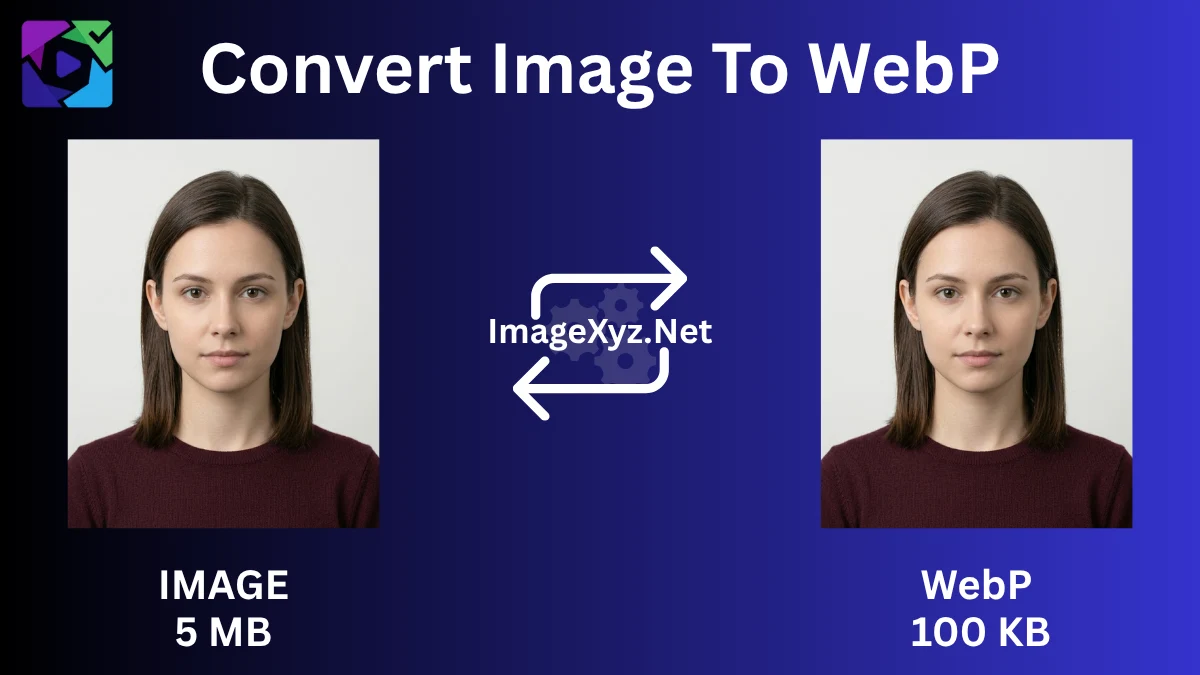
Visual guide: Modernizing your legacy images into highly-optimized WebP files for faster web performance.
WebP Image Conversion FAQ
What exactly is a WebP image?
WebP is a modern, next-generation image format developed by Google. It provides superior lossless and lossy compression for images on the web, allowing webmasters to create significantly smaller, richer images that make websites load much faster.
Does converting an image to WebP reduce the file size?
Yes, drastically. WebP lossless images are roughly 26% smaller in size compared to traditional PNGs. WebP lossy images are typically 25% to 34% smaller than comparable JPEG images at the equivalent visual quality level.
Does the WebP format support transparent backgrounds?
Yes! Unlike the JPEG format which forcibly fills transparent areas with solid white, the WebP format natively supports alpha channels (transparency) while still offering massive file size reductions. This makes it perfect for web logos and overlay graphics.
Why does Google PageSpeed Insights tell me to serve images in next-gen formats?
Google's search algorithm prioritizes fast-loading websites to improve user experience. Because WebP is vastly superior to older formats in terms of compression mathematics, Google demands that you convert your images to WebP to improve your Core Web Vitals and SEO rankings.
Are my images securely processed when using this tool?
Absolutely. Our converter utilizes a strict 100% client-side processing architecture. The entire mathematical conversion into WebP happens directly inside your own web browser's memory. Your sensitive images are never uploaded to our servers.
Is WebP supported by all modern web browsers?
Yes. Today, WebP is universally supported by all major modern browsers including Google Chrome, Safari, Firefox, Microsoft Edge, and Opera across both desktop and mobile operating systems.